
-
Upload photo
Re-upload
Accepting: jpg, png. Max file size: 10 MB
Ultimate Guide to Wii Controllers
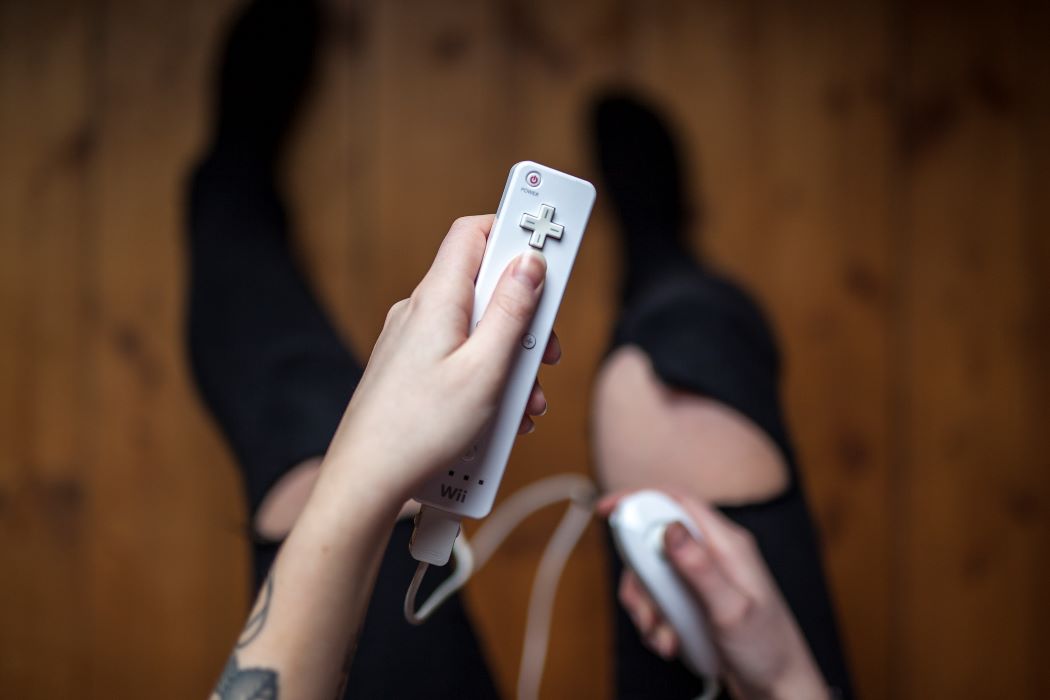
Image source: Getty
The Wii video game console was a great success in the world of video games, even though it didn’t have graphics as advanced as others, and it couldn’t connect to the Internet. But none of that mattered. The Wii managed to be a huge hit because everyone could enjoy playing with it, regardless of age and gender.
With its motion-sensitive controller – the Wii Remote, nicknamed the “WiiMote” by gamers – and specific games designed for it — such as bowling, tennis, golf, etc. — the console was enjoyed by everyone who had one at home or got the chance to visit a friend with one.
The Wii Remote is the primary controller of the Wii. Its development began in 2001 alongside that of the console itself. Nintendo wanted a controller for the console that could be manipulated with one hand.
It was in 2005 that the brand-new Wii controller was finally revealed to the public at the Tokyo Game Show. But the controller’s official name – “Wii Remote” – was announced only in 2006. When it was introduced to the public, the WiiMote’s features were unique at that time. Nintendo had realized its vision of a one-handed video game controller.
Connectivity and unique features
Besides having the unique shape of a wand (similar to a TV remote) rather than a gamepad, the Wii Remote had functions not found on video game controllers then.
The WiiMote has motion sensing capabilities via its three-axis microelectromechanical-system (MEMS) accelerometers, which measure movement in three dimensions. It also has gesture-recognition function and allows the user to control game functions by pointing the device at the console.
The WiiMote responds to a user’s movements in a natural manner, turning the controller into a tennis racket, baseball bat, a sword, etc., depending on the game.
To communicate with the Wii console, the Wii Remote uses Bluetooth technology. With BT, up to four controllers can be used to operate a Wii console up to a distance of 10m.
To communicate with the sensor bar – which has LED lights that allow the Wii Remote to work out the direction of its movement to control game characters or the cursor onscreen to navigate menus – the WiiMote uses infrared technology. The Wii remote does not actually “see” the console when a gamer uses it to point at the console. What the WiiMote sees are the LED lights or IR sources on the sensor bar and then uses these marks to orient itself. The sensor bar is useful with a WiiMote for video games like Zelda where a user needs to aim a bow, but some Wii games do not rely much on the sensor bar.
The WiiMote can be used in either right or left hand and can be turned horizontally. It has a built-in speaker and a port at the bottom which is used for connecting to attachments like the Nunchuk, the Classic Controller, the Wii Zapper, and Wii Wheel. It is powered by two AA batteries. The Wii’s successor console, the Wii U, supports the Wii Remote.
The best Wii remote could very well be the one with the appropriate attachment for the user’s favorite game.
Users in need of a new Wii controller for their console still have a number of options from suppliers, including those in China, that continue to make them.
Here is a selection of the best third-party Wii remotes on offer from verified manufacturers and suppliers on Global Sources, selected by our market analyst:
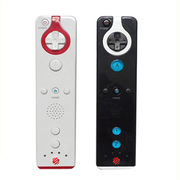
1. Sports Resort-compatible, $2
Model SL-1702 is compatible with Wii Sports Resort. It has an expansion interface for support of other Wii accessories. It also has four LEDs for power and connection status display.
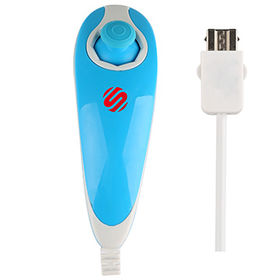
2. Nunchuk, from $5
The SL-1701 is a Nunchuk controller which connects to the WiiMote at its expansion port. It weighs 73g and has a 100cm cable.
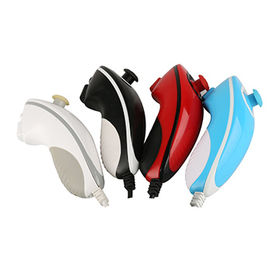
3. MotionPlus-compatible, from $5
Model SL-1701-G features a built-in motion sensor. It has rubber grips at the bottom and is available in various color options. It is fully compatible with the Wii MotionPlus expansion device.
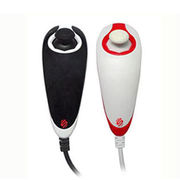
4. Wired Nunchuk, from $5
The SL-1700 is an analog 3D controller with built-in motion sensor. It connects safely to the Wii remote while in game mode. It is fully compatible with Wii MotionPlus and Wii Sports Resort.
Frequently asked questions about Wii remote controllers
What remotes are compatible with Wii?
The Wii Remote is the most common controller for Wii, but there are also a few other controllers that are compatible with the console, e.g., the Nunchuk and the Classic Controller.
- Nunchuk – There is no difference between the WiiMote and the Nunchuk besides the fact that the Nunchuk is connected to the Wiimote by a cable. The Nunchuk is basically a Wiimote without the movement sensors. It does have an extra button in the middle, though, for the Home button. The WiiMote and the Nunchuk look the same, are compatible with all Wii games, and can be used together.
- Classic Controller – The Classic Controller is one of the most popular ways of playing games on the Wii. It looks like an old-school controller with two analog sticks and a directional pad. It’s fully compatible with every game and can be used with the Wii Remote.
How do I connect my Wii Remote to my joystick?
This process is simple. With the Wii Remote and the Wii joystick on hand, all a user needs to do is inten press the Wii button on the Wii Remote and slide the switch on the joystick to “on”. Afterwards, the user must press the button above the “connect” button on the joystick and wait for the light on the Wii Remote to turn green.
What controllers are compatible with the Wii?
Other controllers that are compatible with the Wii console are:
- GameCube Controller – Suitable for playing Super Smash Bros. on the Wii.
- Nintendo Switch Joy-Con – The Wii can be connected to the Nintendo Switch by connecting its Joy-Con controllers via Bluetooth. A user can then play games like Mario Kart 8 Deluxe, Just Dance, or any other Wii or Switch game with these controllers.
What is the Wii joystick used for?
The Wii joystick is used to control the cursor when playing certain games. It can also be used to navigate through the Wii menus.
The joystick is one of the most important components of the Wii Remote. It is located above the “A” button. This is different from the controllers of other consoles, like the PlayStation and the Xbox, where the analog sticks are on the top of the controller.
How to connect Wii Remote to Wii
The user must first have on hand the Wii Remote, the Wii console and the Wii Sensor Bar. The user must place the Wii Sensor Bar about six inches away from the Wii console, then follow these steps:
- Turn on the Wii console and wait for it to turn on completely.
- Hold the “1” and “2” buttons on the Wii Remote at the same time and keep holding them until the light on the Wii console turns red (this usually takes one or two seconds).
- Once the Wii console light turns red, release the buttons on the Wii Remote and wait until the light turns green.
If the light on the Wii Remote doesn’t change from red to green, the procedure must be repeated from the beginning again.
How to sync the Wii Remote
The Wii Remote and the console must be synced so that they can communicate with each other. The syncing process is as follows:
- The user must press and hold the “1” and “2” buttons on the Wii Remote until the light on the Wii Remote turns orange. If the light doesn’t turn orange, repeat the procedure from the beginning.
- When the light turns orange, release the buttons on the Wii Remote and wait for the light to turn green.
If the light on the Wii Remote doesn’t turn green, the user must repeat the procedure from the beginning.
Source the latest products from verified suppliers via global sourcing platform, and subscribe to our magazines for more in-depth insights and product discovery.
Join the Smart China Sourcing Facebook Group
- Connect with other buyers
- Ask questions
- Get advice from experts
The Related News
![]()
![]()
![]()
![]()
Serger vs Sewing Machine: Key Difference
2023/09/08